
Why Managing Social Security Info Online Saves You Time and Money
Social security info online is available 24/7 through the official Social Security Administration (SSA) website at SSA.gov — and knowing how to use it can save you hours, prevent costly mistakes, and help you get every dollar you’re owed.
Here’s what you can do with Social Security info online, right now:
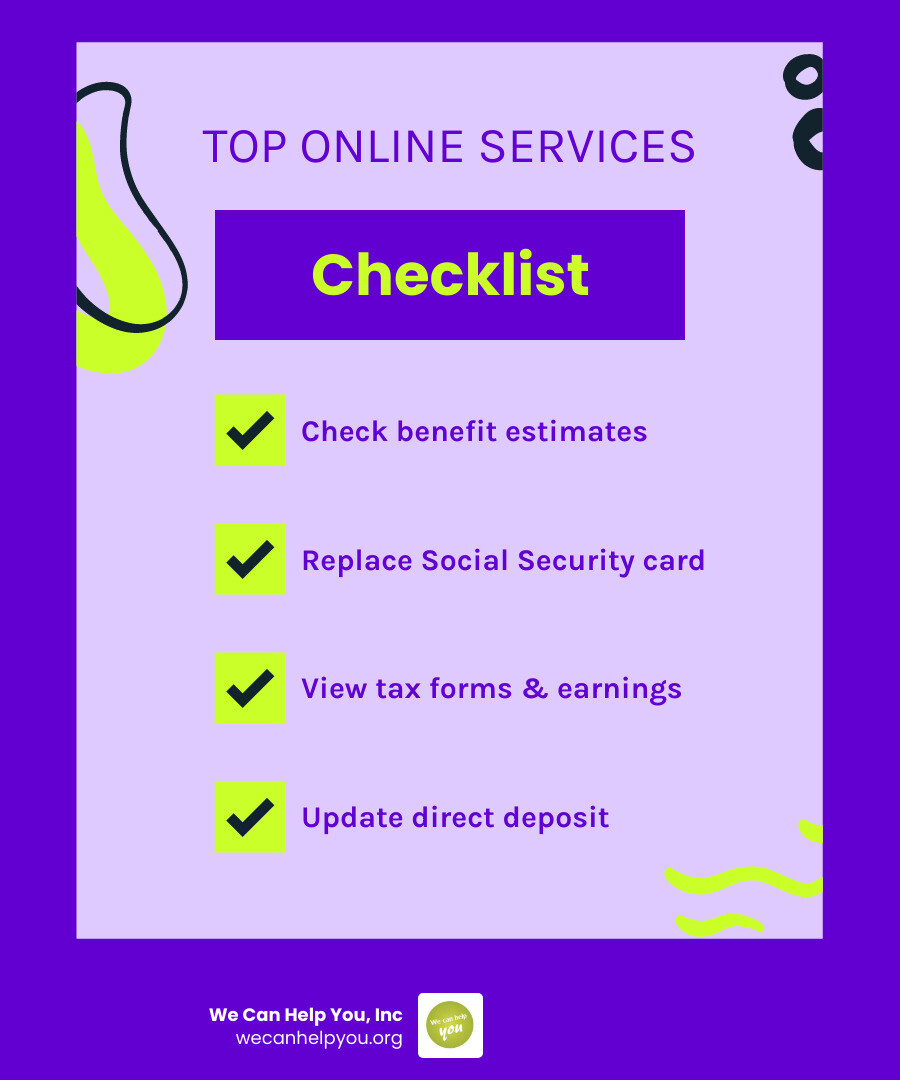
- Check your benefit estimates — see projected retirement, disability, and spousal payments
- Apply for retirement, disability, or Medicare — complete applications without visiting an office
- Replace or correct your Social Security card — available in most areas online
- View your earnings record and tax forms — including your 1099 each year
- Update personal information — name, address, direct deposit, and more
- Check application or appeal status — track progress from any device
- Get your benefit verification letter — print it instantly
All of this is done through a free, secure account called my Social Security, which you can create using either Login.gov or ID.me.
If you’re approaching retirement, the stakes are high. Missing a filing deadline, choosing the wrong start date, or overlooking spousal benefits can cost you thousands over your lifetime. The good news? The SSA’s online tools make it easier than ever to stay informed and in control — if you know where to look.
This guide walks you through everything step by step.
Understanding Benefits and Social Security Info Online
Before we dive into the “how-to” of the website, we need to understand what we are looking for. Social Security isn’t just a single check; it is a complex system of insurance programs designed to provide a foundation of income.
When you look for social security info online, you will primarily encounter four types of benefits:
- Retirement Benefits: These are based on your lifetime earnings. The age at which you claim (anywhere from 62 to 70) significantly impacts your monthly amount.
- Disability Insurance (SSDI): This provides monthly benefits to people who have a medical condition that prevents them from working for at least a year or is expected to result in death.
- Supplemental Security Income (SSI): This is a needs-based program for people with limited income and resources who are blind, disabled, or age 65 and older.
- Medicare Enrollment: While Medicare is managed by CMS, the SSA handles the enrollment for Part A and Part B.
At We Can Help You, Inc., we often see folks confused about the difference between SSDI and SSI. Here is a quick breakdown to help you navigate the social-security landscape:
| Feature | SSDI (Disability Insurance) | SSI (Supplemental Security Income) |
|---|---|---|
| Basis | Work credits earned through payroll taxes | Financial need (limited income/assets) |
| Funding | Social Security trust funds | General tax revenues |
| Medicare | Eligible after 24 months of benefits | Not automatically linked (varies by state) |
| Age | Must be under Full Retirement Age | Can be any age (if disabled) or 65+ |
It’s also vital to check if you are-you-missing-out-on-social-security-spousal-benefits. Many retirees don’t realize they might be eligible for a higher payment based on their spouse’s (or even a former spouse’s) work record.
Setting Up Your Secure my Social Security Account
To get the most out of social security info online, you need a personal “my Social Security” account. This is your digital headquarters. In the past, the SSA used its own username and password system, but they have transitioned to more secure, modernized login partners.
We recommend setting this up sooner rather than later. Why? Because once you have an account, you can receive your annual COLA (Cost-of-Living Adjustment) notices and tax forms up to three weeks earlier than if you waited for the mail.
If you run into trouble, you can call 1-800-772-1213 and say “Help Desk” to get priority service. They are available between 8:00 a.m. and 7:00 p.m. local time, Monday through Friday.
Accessing Social Security Info Online via Login.gov or ID.me
You have two main choices for signing in. There is no “wrong” choice, but here is the gist:
- Login.gov: A secure sign-in service used by many government agencies. It’s a great “all-in-one” option if you deal with other federal programs.
- ID.me: A private technology partner that provides identity verification. If you already use ID.me for veteran benefits or state unemployment, this might be the easiest path for you.
Both options require two-factor authentication (like a code sent to your phone) to ensure your data stays safe. For a visual walkthrough, you can check out these official videos:
- How to Choose Your Sign-in Account for my Social Security Online Services
- How to Create Your Login.gov Account with SSA
- How to Create Your ID.me Account with SSA
Updating Personal Social Security Info Online
Once you’re in, the portal allows you to manage your personal Social Security record. This is where you can handle name changes (usually after marriage), update your citizenship or immigration status, or change your contact details.
Keeping this info current is essential, especially with legislative changes like the social-security-repeals-windfall-elimination-provision-and-government-pension-offset, which can affect those with “non-covered” pensions (like some teachers or government workers in our service areas like Ohio or Massachusetts).
Managing Your Benefits and Personal Records
If you are already receiving benefits, your online account is a lifesaver. No more waiting on hold or driving to a local office in Phoenix or Charlotte just to change a phone number.
Through the online services portal, you can:
- Update Direct Deposit: Ensure your money goes to the right bank account.
- Get Tax Forms: Download your SSA-1099 or SSA-1042S instantly during tax season.
- Request a Benefit Verification Letter: This is the official “proof of income” letter required by many landlords, lenders, and assistance programs.
Checking Application Status and Social Security Info Online
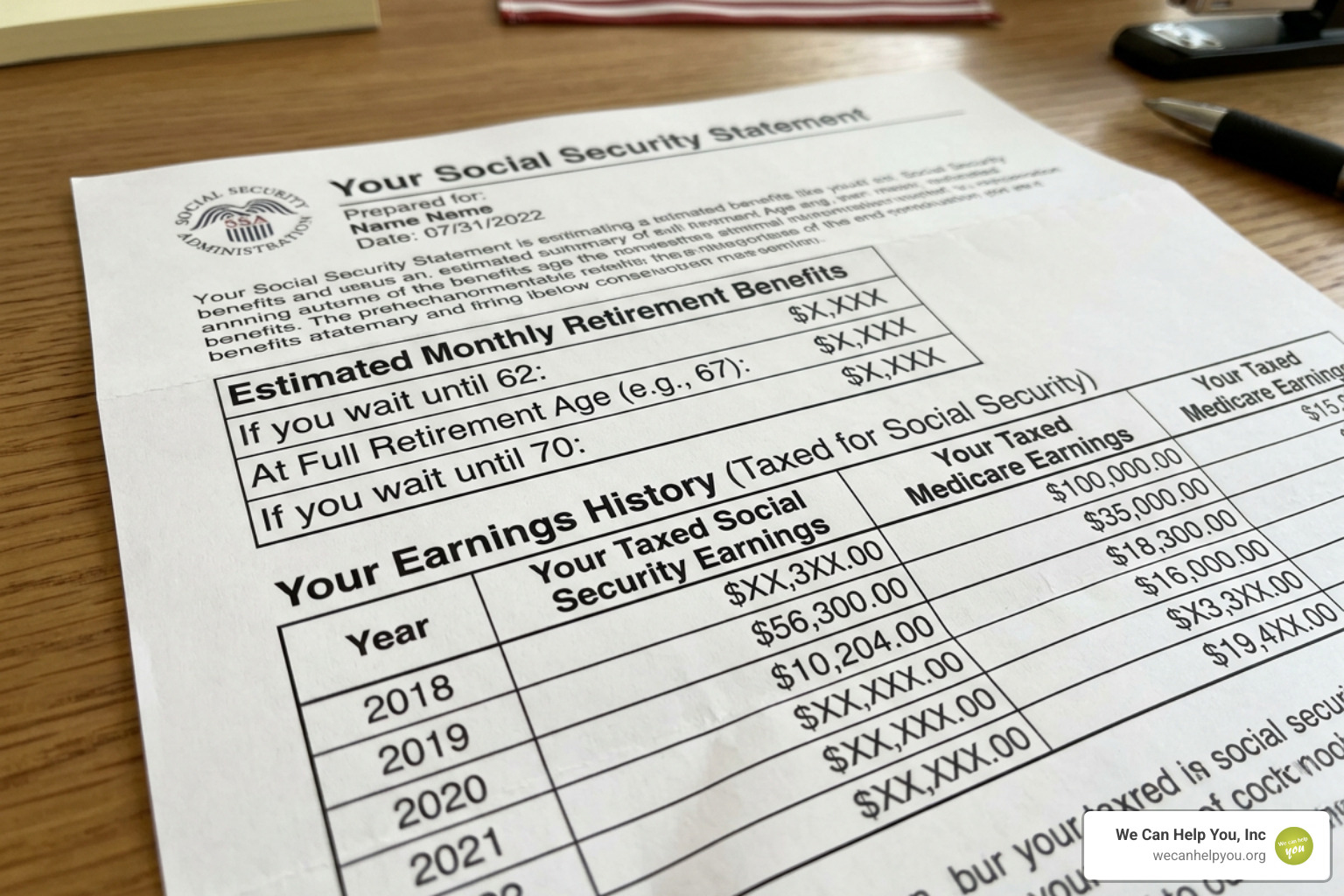
For those still in the planning stages, the “my Social Security” account provides a your-retirement-roadmap-to-financial-freedom. You can see exactly how much you would receive if you retire at 62, 67, or 70. These aren’t just guesses; they are based on your actual earnings history.
If you have already applied for benefits, you don’t have to wonder where your paperwork is. You can manage Social Security benefits by tracking the status of your application or appeal in real-time.
Applying for Benefits and Handling Life Events
When you are ready to make the leap, you can Apply for Social Security Benefits directly on the website. This includes retirement, disability, and even Medicare Part B if you already have Part A.
Life moves fast, and the SSA website is designed to handle major milestones:
- Retirement: The online application typically takes about 15 to 30 minutes.
- Medicare: You can sign up for Medicare online even if you aren’t ready to start your monthly Social Security checks yet.
- Reporting a Death: While the funeral home usually notifies the SSA, you can find instructions online for reporting the death of a beneficiary to ensure benefits are handled correctly.
- Calculating Earnings: To understand your future check, you might want to look at your-aime-your-future-a-step-by-step-guide-to-calculating-your-average-indexed-monthly-earnings. Your AIME (Average Indexed Monthly Earnings) is the foundation of your benefit amount.
For our friends living outside the U.S. in places like Mexico or Europe, the SSA provides a dedicated “Payments Abroad” section to help you manage your U.S. benefits from afar.
2026 COLA Updates and Scam Prevention
One of the most important pieces of social security info online is the annual Cost-of-Living Adjustment (COLA).
Big News for 2026: Social Security has announced a 2.8 percent increase in benefits for the year 2026. This adjustment is designed to help your benefits keep pace with inflation.
However, with more money comes more scammers. The SSA and the Office of the Inspector General (OIG) partner for the annual National Slam the Scam Day on March 5, 2026.
How to stay safe:
- The SSA will never threaten you with arrest or legal action because you don’t agree to pay money immediately.
- They will never ask for payment via gift cards, wire transfers, or cryptocurrency.
- Verify the source: If you get a suspicious call, hang up and check your account online or call the official 1-800 number. You can also find a local office to speak with someone in person if you are worried.
To understand how these adjustments fit into your long-term plan, it helps to understand the average-indexed-monthly-earnings-aime and how inflation adjustments are applied to your specific work history.
Frequently Asked Questions about Social Security
How do I replace a lost Social Security card online?
In most states (including the ones we serve like Texas, Florida, and New York), you can request a replacement card through your “my Social Security” account. As long as you aren’t changing your name and have a valid driver’s license or state ID, the process is quick and the card arrives by mail.
Can I estimate my future payments before I retire?
Absolutely. This is the most popular use of social security info online. By signing into your account, you can see your “Social Security Statement,” which provides estimates based on different retirement ages. It also shows your “Earnings Record”—make sure to check this for errors, as missing earnings can lower your future checks!
What should I do if I live outside the United States?
The SSA has a “Service Around the World” page. Most U.S. citizens can receive their benefits while living abroad. You can use the online “Screening Tool” to see if you qualify based on the country you are residing in.
Conclusion
Navigating social security info online doesn’t have to be a headache. By creating your secure account and staying updated on news like the 2026 COLA, you are taking a massive step toward a secure retirement.
At We Can Help You, Inc., we are dedicated to making this transition as smooth as possible for residents across our service areas, from the sunny coast of Florida to the mountains of Colorado. We know that Social Security is often the largest asset a retiree has—but it’s also one of the most misunderstood.
Don’t leave your financial future to chance. We invite you to take advantage of our expertise. We offer a free Social Security maximization report designed to help you identify the best time to claim and ensure you aren’t leaving money on the table. We also provide a free Medicare Planning Guide to help you coordinate your healthcare with your retirement income.
Ready to take the next step? Explore our social-security resources today and let us help you build a roadmap to financial freedom.

